Coding Agents OpenAI's Codex, Google's Jules - Unleashed
Exploring how to setup OpenAI's Codex, Google's Jules to enhance software development.
Microsoft overhauled the design of its Copilot assistant within Microsoft 365 on Thursday, introducing a minimalist, text-focused interface that strips away much of the tool's previous color palette in favor of a black-and-white aesthetic. The visual refresh aims to create a more consistent and less distracting user experience across productivity applications like Word, Excel, and PowerPoint.
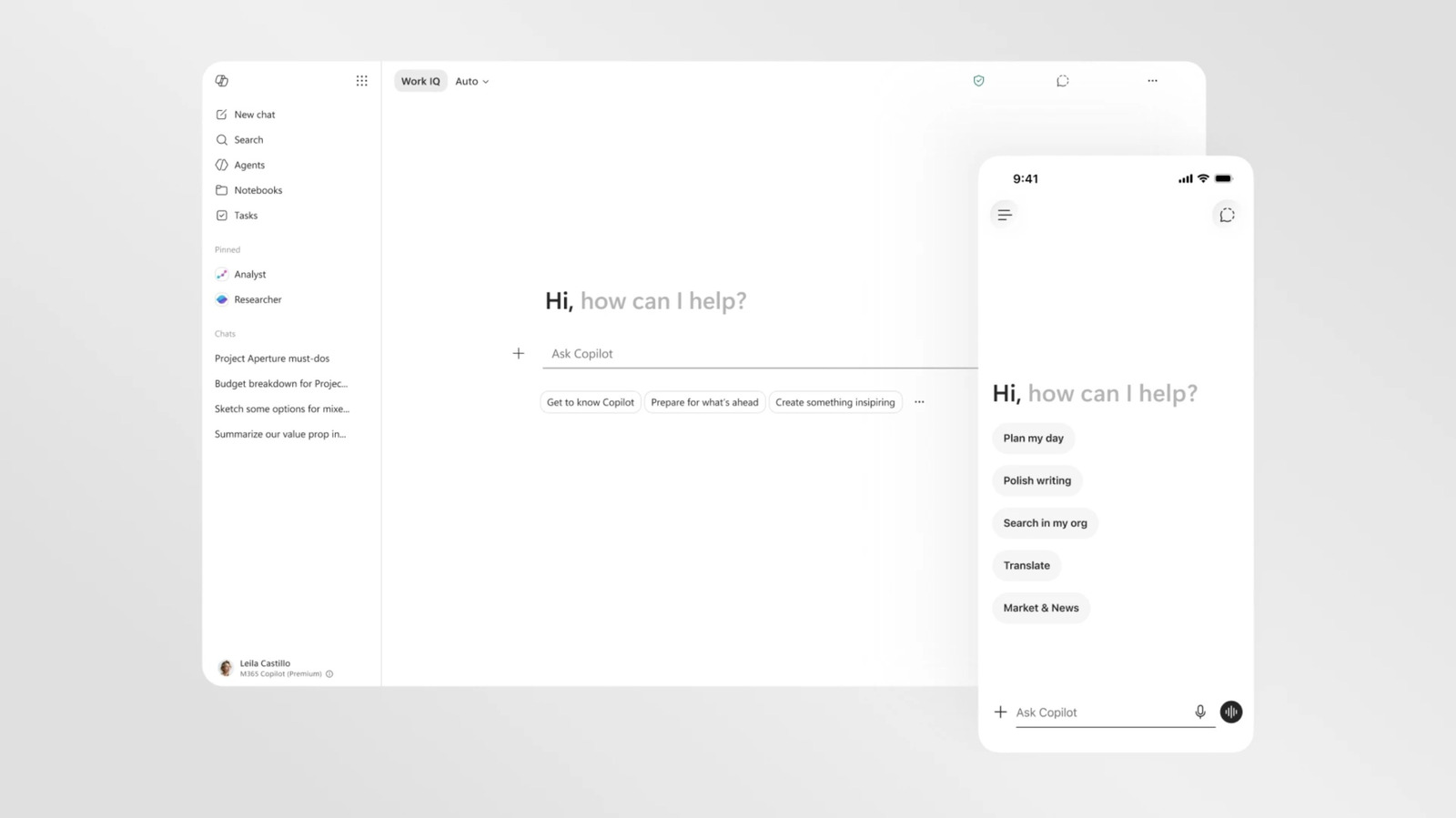
The redesign represents a shift in Microsoft's approach to consumer and enterprise AI, moving away from a highly branded, distinct assistant personality toward an integrated utility. While the assistant retains its core generative capabilities, the interface changes prioritize readability and responsiveness, presenting the AI as an embedded feature rather than an intrusive sidebar.
The most immediate change in the updated interface is the near-total elimination of color. The default Copilot interface has transitioned to a largely black-and-white, text-forward layout. This represents a stark departure from the vibrant, multi-colored gradients that previously characterized Microsoft's promotional materials and early interface designs for its AI companion.
Despite the monochrome default, color has not been entirely banished from the system. Users can still prompt Copilot to generate full-color outputs, such as charts, images, or formatted documents. Additionally, the assistant will continue to reference other Microsoft 365 applications using their traditional, colorful brand icons, helping users maintain visual context when navigating between different tools.
A primary driver for the visual overhaul is the need for consistency. Previously, Copilot's appearance could vary significantly depending on whether a user accessed it through Windows, a web browser, or specific office applications. The new design standardizes the assistant's look, ensuring that the sidebar and chat interface feel identical whether a user is drafting a document in Word or analyzing data in Excel.
By unifying the interface, Microsoft hopes to reduce the cognitive load associated with switching between different work environments. The streamlined layout ensures that the AI assistant behaves as a predictable, native component of the office suite, rather than an external application bolted onto the side of existing software.
Microsoft's design team indicated that the changes are part of a broader effort to refine how users interact with artificial intelligence. The company wants to craft an intelligence that feels present but not imposing. The quieter, text-focused design is intended to blend into the background until actively needed by the user.
This philosophical shift addresses common user feedback regarding AI distractions. Many enterprise users found the previous, highly animated Copilot interface to be a visual distraction during deep work. The new, buttoned-up aesthetic treats the AI more like a standard formatting tool or utility, aligning with professional workplace expectations.
The visual refresh comes as major technology companies continue to experiment with the user experience of generative AI. Early implementations relied heavily on chat bubbles and flashy animations to emphasize the novelty of the technology. As the tools mature into daily workflows, companies are increasingly shifting toward subtle, integrated designs that prioritize utility over novelty.
This update is part of an ongoing reassessment of how Copilot fits into the Windows ecosystem. By stripping away the assistant's louder personality traits, Microsoft is positioning Copilot as a mature, infrastructure-level tool designed for sustained productivity rather than casual experimentation.
Subscribe wiring is coming soon. For now, follow the daily news feed or connect on LinkedIn for updates.
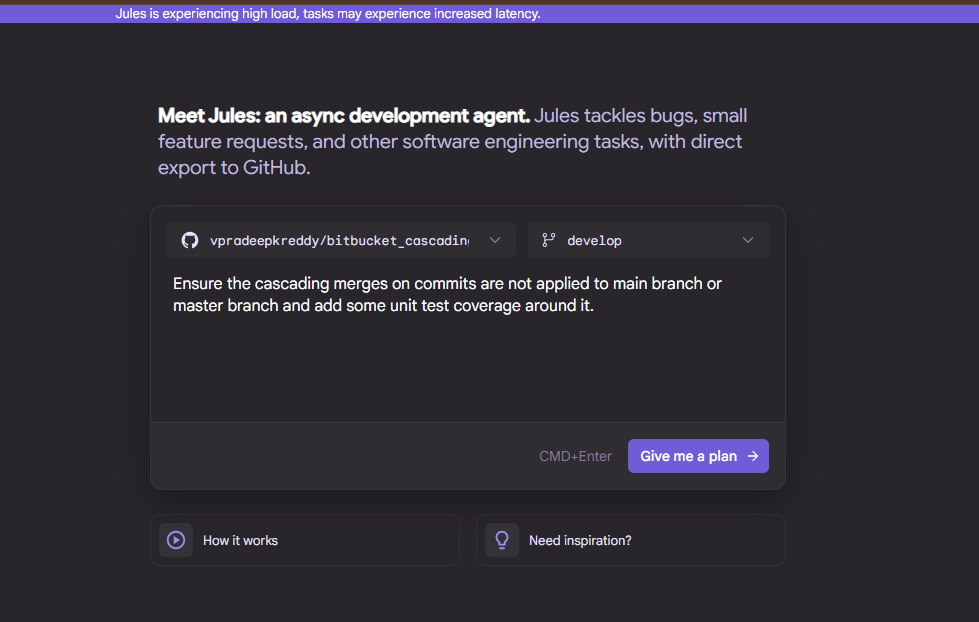
Exploring how to setup OpenAI's Codex, Google's Jules to enhance software development.
%22%3E%0A%20%20%20%20%20%20%3Cstop%20offset%3D%220%25%22%20stop-color%3D%22%238b5cf6%22%2F%3E%0A%20%20%20%20%20%20%3Cstop%20offset%3D%22100%25%22%20stop-color%3D%22%233b0764%22%2F%3E%0A%20%20%20%20%3C%2FlinearGradient%3E%0A%20%20%20%20%3CradialGradient%20id%3D%22halo%22%20cx%3D%220.149%22%20cy%3D%220.274%22%20r%3D%220.55%22%3E%0A%20%20%20%20%20%20%3Cstop%20offset%3D%220%25%22%20stop-color%3D%22rgba(255%2C255%2C255%2C0.32)%22%2F%3E%0A%20%20%20%20%20%20%3Cstop%20offset%3D%2260%25%22%20stop-color%3D%22rgba(255%2C255%2C255%2C0)%22%2F%3E%0A%20%20%20%20%3C%2FradialGradient%3E%0A%20%20%3C%2Fdefs%3E%0A%20%20%3Crect%20width%3D%22800%22%20height%3D%22500%22%20fill%3D%22url(%23g)%22%2F%3E%0A%20%20%3Crect%20width%3D%22800%22%20height%3D%22500%22%20fill%3D%22url(%23halo)%22%2F%3E%0A%20%20%3Cg%20fill%3D%22rgba(255%2C255%2C255%2C0.12)%22%20stroke%3D%22rgba(255%2C255%2C255%2C0.18)%22%20stroke-width%3D%221%22%3E%0A%20%20%20%20%3Ccircle%20cx%3D%22119%22%20cy%3D%22137%22%20r%3D%2269%22%2F%3E%0A%20%20%20%20%3Ccircle%20cx%3D%22681%22%20cy%3D%22363%22%20r%3D%2249%22%2F%3E%0A%20%20%3C%2Fg%3E%0A%20%20%3Ctext%20x%3D%2250%25%22%20y%3D%2252%25%22%20text-anchor%3D%22middle%22%20dominant-baseline%3D%22middle%22%0A%20%20%20%20%20%20%20%20font-family%3D%22Inter%2C%20system-ui%2C%20sans-serif%22%20font-weight%3D%22800%22%0A%20%20%20%20%20%20%20%20font-size%3D%22170%22%20fill%3D%22rgba(255%2C255%2C255%2C0.92)%22%20letter-spacing%3D%22-6%22%3EBR%3C%2Ftext%3E%0A%20%20%3Ctext%20x%3D%2250%25%22%20y%3D%2278%25%22%20text-anchor%3D%22middle%22%0A%20%20%20%20%20%20%20%20font-family%3D%22Inter%2C%20system-ui%2C%20sans-serif%22%20font-weight%3D%22700%22%0A%20%20%20%20%20%20%20%20font-size%3D%2222%22%20letter-spacing%3D%226%22%0A%20%20%20%20%20%20%20%20fill%3D%22rgba(255%2C255%2C255%2C0.78)%22%3ETECHNOLOGY%3C%2Ftext%3E%0A%3C%2Fsvg%3E)
A deep dive into CSS Grid, Flexbox, and other modern layout techniques for creating responsive web interfaces.
%22%3E%0A%20%20%20%20%20%20%3Cstop%20offset%3D%220%25%22%20stop-color%3D%22%238b5cf6%22%2F%3E%0A%20%20%20%20%20%20%3Cstop%20offset%3D%22100%25%22%20stop-color%3D%22%233b0764%22%2F%3E%0A%20%20%20%20%3C%2FlinearGradient%3E%0A%20%20%20%20%3CradialGradient%20id%3D%22halo%22%20cx%3D%220.110%22%20cy%3D%220.240%22%20r%3D%220.55%22%3E%0A%20%20%20%20%20%20%3Cstop%20offset%3D%220%25%22%20stop-color%3D%22rgba(255%2C255%2C255%2C0.32)%22%2F%3E%0A%20%20%20%20%20%20%3Cstop%20offset%3D%2260%25%22%20stop-color%3D%22rgba(255%2C255%2C255%2C0)%22%2F%3E%0A%20%20%20%20%3C%2FradialGradient%3E%0A%20%20%3C%2Fdefs%3E%0A%20%20%3Crect%20width%3D%22800%22%20height%3D%22500%22%20fill%3D%22url(%23g)%22%2F%3E%0A%20%20%3Crect%20width%3D%22800%22%20height%3D%22500%22%20fill%3D%22url(%23halo)%22%2F%3E%0A%20%20%3Cg%20fill%3D%22rgba(255%2C255%2C255%2C0.12)%22%20stroke%3D%22rgba(255%2C255%2C255%2C0.18)%22%20stroke-width%3D%221%22%3E%0A%20%20%20%20%3Ccircle%20cx%3D%2288%22%20cy%3D%22120%22%20r%3D%2268%22%2F%3E%0A%20%20%20%20%3Ccircle%20cx%3D%22712%22%20cy%3D%22380%22%20r%3D%2238%22%2F%3E%0A%20%20%3C%2Fg%3E%0A%20%20%3Ctext%20x%3D%2250%25%22%20y%3D%2252%25%22%20text-anchor%3D%22middle%22%20dominant-baseline%3D%22middle%22%0A%20%20%20%20%20%20%20%20font-family%3D%22Inter%2C%20system-ui%2C%20sans-serif%22%20font-weight%3D%22800%22%0A%20%20%20%20%20%20%20%20font-size%3D%22170%22%20fill%3D%22rgba(255%2C255%2C255%2C0.92)%22%20letter-spacing%3D%22-6%22%3ETA%3C%2Ftext%3E%0A%20%20%3Ctext%20x%3D%2250%25%22%20y%3D%2278%25%22%20text-anchor%3D%22middle%22%0A%20%20%20%20%20%20%20%20font-family%3D%22Inter%2C%20system-ui%2C%20sans-serif%22%20font-weight%3D%22700%22%0A%20%20%20%20%20%20%20%20font-size%3D%2222%22%20letter-spacing%3D%226%22%0A%20%20%20%20%20%20%20%20fill%3D%22rgba(255%2C255%2C255%2C0.78)%22%3ETECHNOLOGY%3C%2Ftext%3E%0A%3C%2Fsvg%3E)
Exploring principles and practices for writing clean, maintainable code that stands the test of time.