Coding Agents OpenAI's Codex, Google's Jules - Unleashed
In my previous post, I explored how MCP and A2A are reshaping the AI landscape. In this article, I’ll offer a high level look at how coding agents are revolutionizing software development. Swarm of Asynchronous coding agents have been released in the last couple of weeks by major LLM providers. OpenAI recently updated its Codex coding agent on May 16, 2025, making it available to ChatGPT Pro, Team, and Enterprise users at no extra cost. Codex can integrate with GitHub to securely clone repositories and run multiple parallel tasks in isolated cloud sandboxes powered by codex-1, a specialized version of OpenAI’s o3 reasoning model further refined through reinforcement learning on real-world code examples. Meanwhile, Google launched its Jules coding agent to public beta at Google I/O 2025, offering an asynchronous workflow for developers to submit tasks and review multi-step plans. Jules runs each task in an Ubuntu Linux VM preinstalled with Node.js, Python, Go, Java, and Rust, and provides a free beta tier of up to 3 concurrent tasks and 5 daily tasks. Both agents support customization Codex via AGENTS.md configuration files and Jules via environment setup scripts allowing teams to enforce coding standards, testing commands, and security checks seamlessly.
OpenAI Codex Agent
Key capabilities
- GitHub integration: Codex can connect to your GitHub account, clone your repositories, and work within your existing codebase.
- Isolated sandboxes: Each task runs in its own cloud sandbox environment, preloaded with the target repo for secure, context-aware operations.
- Parallel task management: The agent can handle many concurrent tasks answering questions on the codebase, writing unit tests, and reviewing PRs all in parallel.
- Advanced model: Powered by a specialized version of OpenAI’s o3 reasoning model.
Customizing behavior with AGENTS.md
- Configuration files: Use
AGENTS.md akin to README.md to instruct Codex on navigating the repo and following your coding standards.
- Hierarchical merging: Codex looks for
AGENTS.md in your home directory (~/.codex/), at the repo root, and in subdirectories, merging instructions top-down for fine-grained control.
- Standards enforcement: Specify commands for linters, SAST/DAST/SCA tools, and any custom workflows to ensure generated code meets your security and style guidelines.
Google Jules Coding Agent
Public beta launch
At Google I/O 2025, Jules moved out of private preview into a global beta no waitlists, freely available to all developers.
Setup and environment
- Connect GitHub: Sign in at jules.google.com, link your GitHub account, and select the repositories you want Jules to access.
- Ephemeral VM: Each task runs in a secure, short-lived Ubuntu Linux VM that clones your repo, installs dependencies, and prepares the workspace.
- Preinstalled tools: The VM comes with Node.js, Python, Go, Java, and Rust ready to go; you can add setup scripts for any additional dependencies or test commands before tasks begin.
Task workflow and approvals
- Prompt: After entering a clear prompt, click Give me a plan
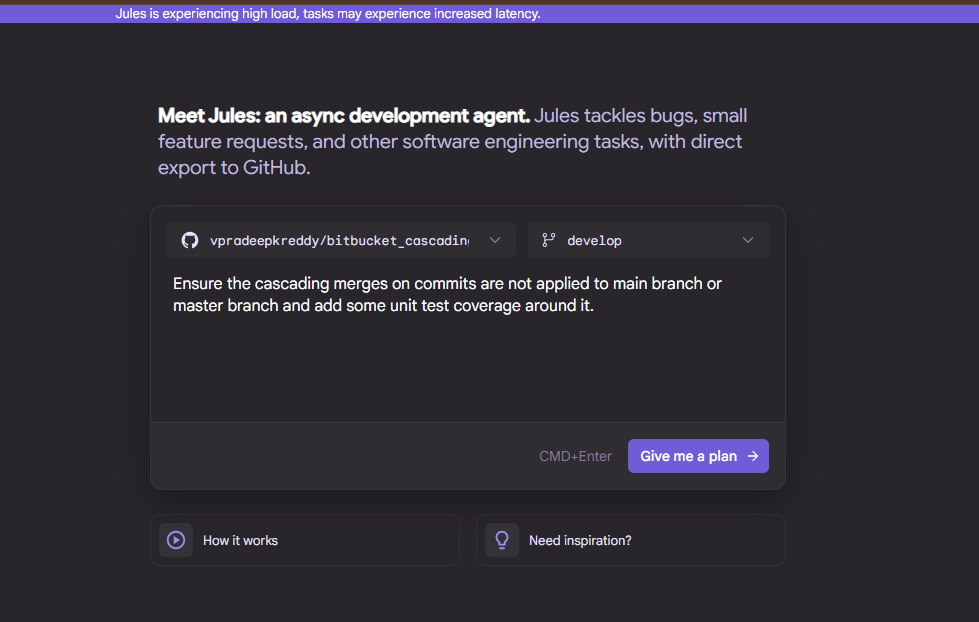
- Plan generation: Jules will propose a multi-step plan for your approval before making any code changes.
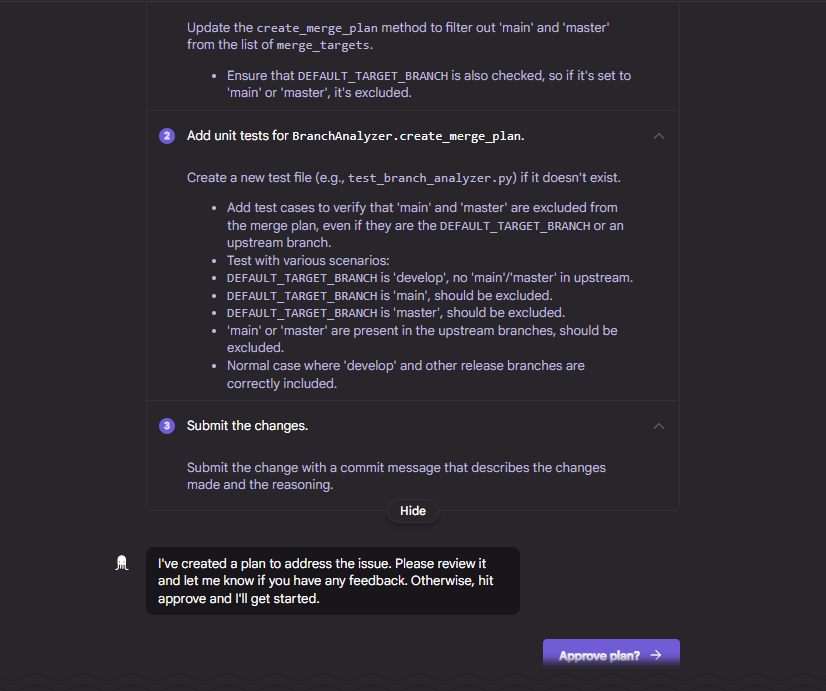
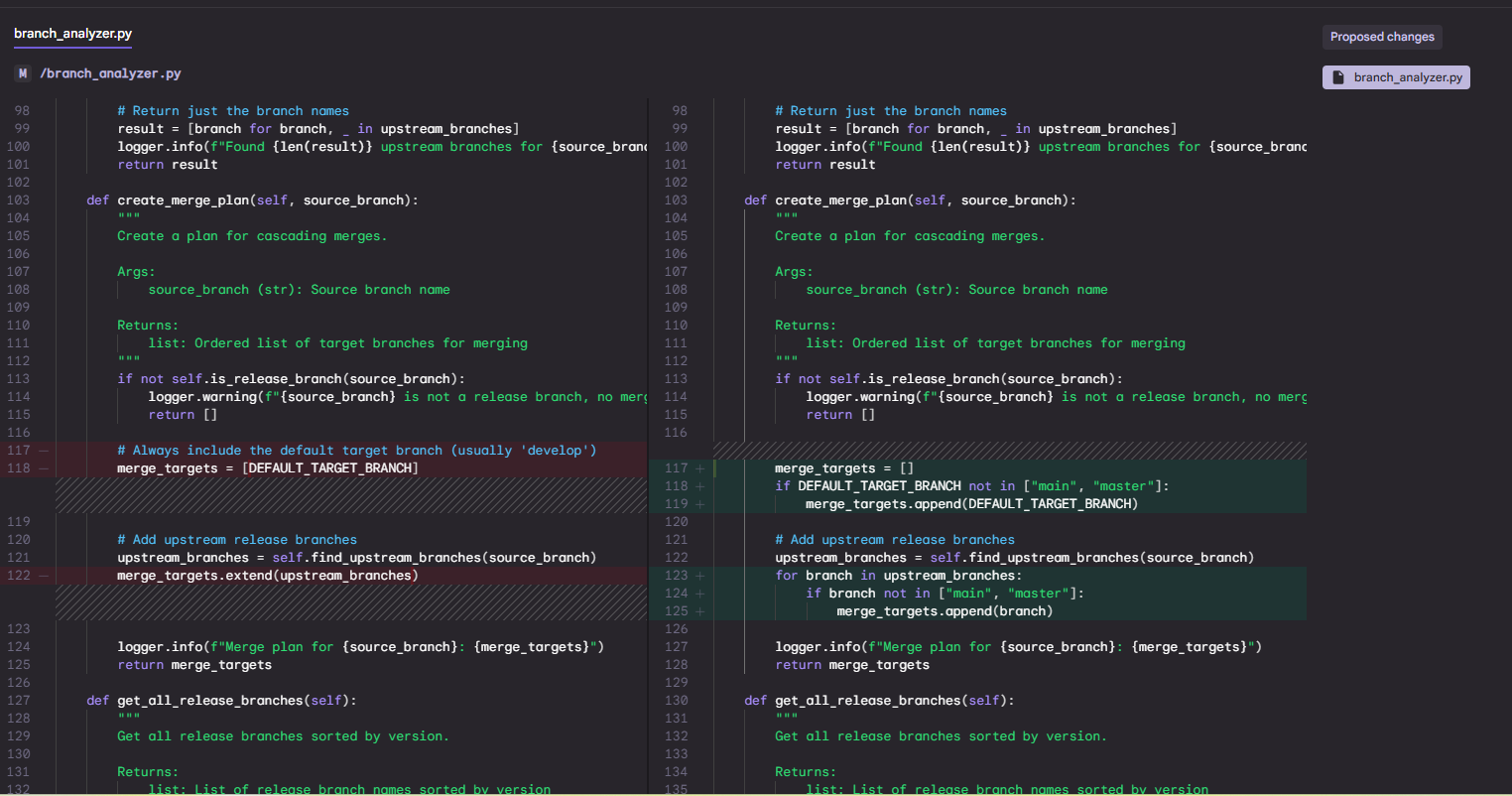
- Branch and PR: Once approved, Jules creates a feature branch, applies the changes, and pushes the branch so you can review, open a pull request, and merge as usual.
Best Practices and Tips
- Clear prompts: Write specific, actionable prompts to help agents generate accurate plans and code.
- Environment scripts: Provide setup scripts (for Jules) or
AGENTS.md files (for Codex) that install dependencies, run linters, and execute tests for consistent environments.
- Review rigorously: Treat agent generated code like human generated code and use your existing code review processes, automated security scans, and CI pipelines to maintain quality.
Stay on top of tech and AI
Subscribe wiring is coming soon. For now, follow the daily news feed or connect on LinkedIn for updates.